
Smart routing
Make the route follow the rule.
Build call paths around the way your business actually operates. Time, department, availability and fallback all become part of the route instead of something a person has to remember.
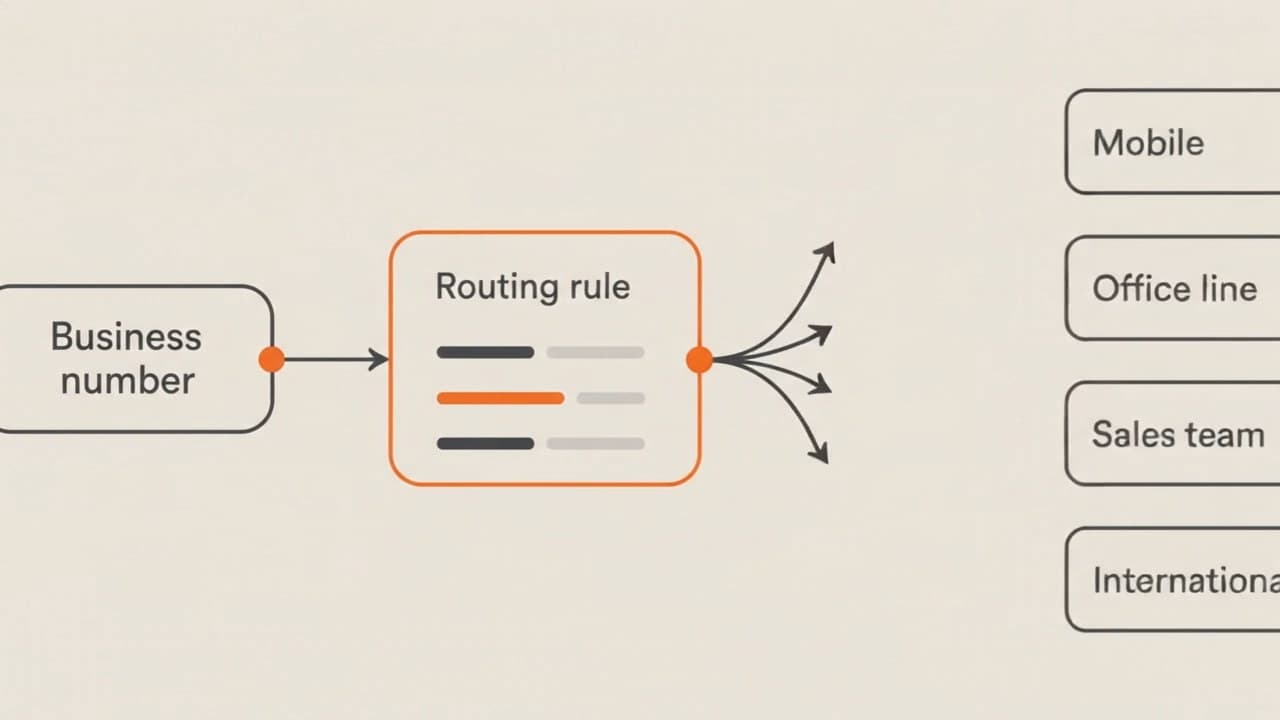
Diagram: an inbound call is evaluated against rules for business hours, department and availability, then takes the matching branch.
What it solves
Routing decisions belong in the route.
Most missed calls are not a network problem. They are a decision problem: nobody defined what should happen at 6pm, or when the first destination is busy, or when the caller needs a different team. A rule set answers those questions before the call arrives.
- Describe the decision once instead of repeating it to every new hire.
- Handle out-of-hours and holiday behaviour explicitly.
- Give every branch of the route a defined ending.
- Change a rule without rebuilding the whole call flow.
How it works
Three things happen to every call.
A call arrives
The inbound call enters the routing setup attached to that number.
Rules are evaluated in order
The first rule that matches decides which branch the call takes.
The call takes its branch
It is delivered to the destination that rule points to — or to the fallback.
Capabilities
What you can build with it.
Availability of individual capabilities depends on your setup and destinations. We confirm what applies before anything is configured.
- Time-based rules
- Route differently during business hours, after hours, weekends and closure days.
- Destination priority
- Set the order destinations are tried and how long each one is given.
- Availability handling
- Move the call on when a destination is busy or does not pick up.
- Department branches
- Split a single number into separate paths for separate teams.
- Failover
- Define what happens when nothing in the primary path answers.
- Geography-aware paths
- Where supported, use the origin of the call as part of the routing decision.
Example rule set
A route you could read out loud.
Business hours, department match, availability check and a defined fallback — evaluated top to bottom.
Route definition
Illustrative- When
- Mon–Fri, 08:00–18:00 local
- And
- Caller selected the sales option
- Then
- Sales group · first available
- If busy
- Overflow to the second sales destination
- Otherwise
- Out-of-hours path with a defined ending
An illustrative example. Your route is written with you before anything is configured.
Use cases
Where it earns its place.
Follow the working day
Calls move between regions as each team starts and finishes its day.
Protect the primary line
Overflow is sent to a second destination rather than to a busy tone.
Split by intent
Sales and support calls take different paths from the same published number.
Coverage & compatibility
Will it work where you need it?
Destinations, number types and endpoint compatibility vary. Send us the specifics and we'll confirm what is available rather than publish a list that may not hold for your case.
FAQ
Common questions
Anything specific to your destinations, numbers or endpoints is confirmed directly rather than answered generically.
How many rules can a route contain?
Rule sets are configured to match the way your operation works. Describe the flow you need and we will confirm how it can be built.
Can rules be changed later?
Yes — routing setups are meant to change as your business does. How changes are requested and applied is confirmed when your account is set up.
What happens when no rule matches?
Every route should end somewhere defined. A fallback destination is part of the design rather than an afterthought.
Next step
Ready to set up smart routing?
Tell us how your calls work today and where they need to go. We'll map the route with you before anything is configured.